Dispatcher
This plugin registers actions that can be executed via the dispatcher, also known as Quick Menu or Profiles.
Learn more about Quick Menu & Profiles
Actions
The following actions are available:
- Set Auto Enable Dual Page Mode
- Toggle Dual Page Mode
- Set Page Mode
- Set Dual Page Mode: First Page is Cover
- Set Dual Page Mode: RTL
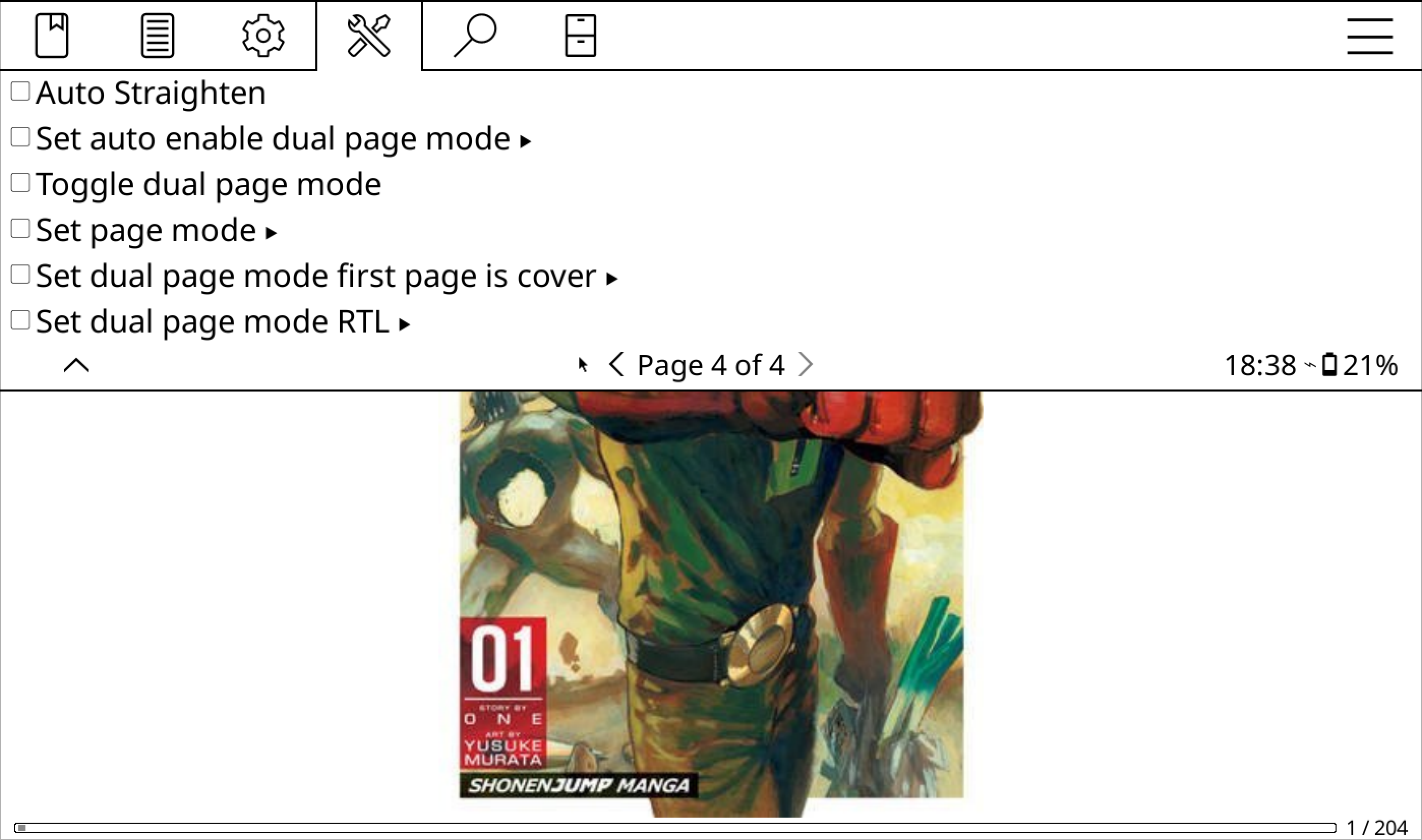
These actions are registered under Fixed Layout Documents.
Set Auto Enable Dual Page Mode
This action lets you turn the automatic dual page mode setting on or off.
Toggle Dual Page Mode
This action allows you to switch between dual and single page modes.
Set Page Mode
Use this action to set the document to single or dual page mode.
Set Dual Page Mode: First Page is Cover
This action lets you mark whether the first page is a cover or not.
Set Dual Page Mode: RTL
Use this to enable or disable RTL (Right-to-Left) reading in dual page mode.
Usage Examples
Here are some ways these actions can enhance your reading experience.
Folder With Comics
Suppose you have a folder full of comics. For all these comics, you want:
- RTL reading enabled
- The first page treated as a cover
- Dual Page Mode automatically activated in landscape
You can create a profile to do all of this using:
Auto-Execute → On Book Opening → If Book File Path Contains